Build your content strategy with Claude
A free skill that learns from the most viral posts on LinkedIn, then writes your posts and designs the visuals that go with them.
Download the Content Strategist skillThese are the most viral posts in the feed right now.
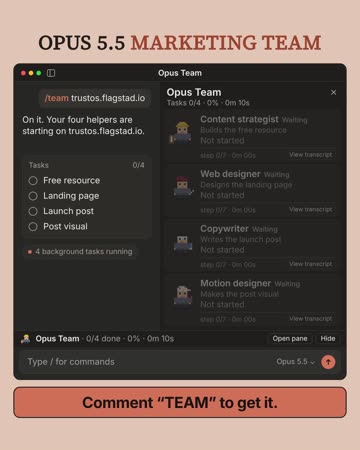
Three looks pulled the most comments, so I circled them: an app window caught mid-task, a model name on a galaxy, and a full-width keyword bar.
Your plan is in the panel. Click any day to see its post.
Every viral post gets taken apart
The copy and the visual, down to the frame.
Every weekend the feed takes in the top-performing viral posts on LinkedIn. Visuals get analyzed frame by frame: what's on screen, what moves, in what order and in which colours. The copy gets taken apart the same way.
Every piece goes into a database that keeps growing, so the skill knows which pieces make a post go viral.
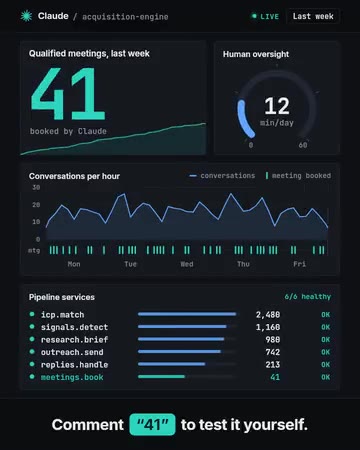
- App window, marked live
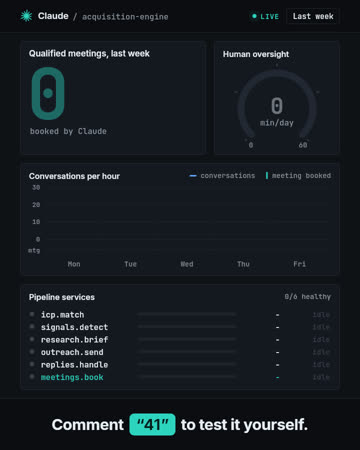
- One big number, counts 0 to 41
- Chart draws left to right
- Bars fill at the same time
- The keyword is the number
Then it builds your full content strategy
Everything you post in a week, copy and visuals, built on the current viral patterns.
It plans your week and gives every post one topic from your offer. Then it writes each post on a structure from a viral repository of the most recent top-performing posts on LinkedIn, updated automatically. Your topic and your voice, in the shape that's pulling comments right now.
When a post needs a number you haven't given it, it leaves a slot and asks. It never makes one up.
How to clean a messy CRM with Claude in one prompt: Claude reads your HubSpot or Salesforce export and hands back one clean record per account ↓
The prompt covers both the RevOps analyst's work and the data admin's work
In 6 stages: 1. matches duplicate contacts by email and domain 2. merges companies that share a domain 3. fills missing owners from your own records 4. flags deals with no activity in 30 days 5. writes a change log for every edit, so nothing changes without a record 6. checks the file 3 times before you import it
I'm giving it away ↓
Comment CRMAnd designs every visual from what's going viral
Built on the best-performing visuals and optimized for LinkedIn's algorithm.
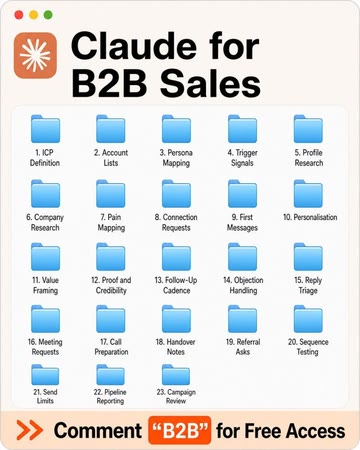
It studies the visuals that go with the best-performing copy and builds yours from the same pieces: the looks, the motion and the colours, rewritten around your topic. Each visual is a 4:5 motion piece, checked at phone size before it renders, and no two posts get the same look.
Set it up
- Open the Code tab in the Claude desktop app, on a plan that includes Claude Code.
- Install Node.js (the LTS version) from nodejs.org, then reopen Claude. Make a folder for your posts, for example one called LinkedIn, and choose it in the Code tab.
- Paste it into the Code tab and press Enter. Say yes to the video renderer (about 450 MB, once), and click Allow when Claude asks to put the skill in your skills folder.
Read https://autoploy.ai/downloads/ content-strategist/ INSTALL.md and follow it to install the content strategist skill for me. - Start a new chat in the same folder. Type “Plan my next two weeks of posts. I run …” and say what you sell and who buys it.
- Answer the six questions once. You get six dated posts, each with a video and a thumbnail, in about 15 minutes.
In two weeks, ask again for the next six. It won't ask the six questions again.
Download the Content Strategist skillThis is only the beginning
Content is only the first point of contact. People see a post they like, they engage with it, and usually that is the end of the road.
Taking that content to millions of impressions and thousands of leads needs a whole system behind it. We ran ours in 2025: 11 million impressions on LinkedIn and 59,000 new leads, every one of them warm.
The skill gives you the first part. This is the rest of it.
Turning commenters into leads
When your posts start getting comments, you want to deliver a resource that gives them value and puts them on your platform where you can get more data, and more control.
30 minutes · Google Meet · Free
When would you like to talk?
30 minutes on Google Meet. Times are in your local time.
Booking submitted
Need to move it? Use the link in the email we just sent you.